
Field guide · Entry 01 of 14 · Weapons
A handgun in a hand, on your team's phones fast.
GroundsWatcher looks at each person's hands at full camera resolution, so a small handgun down a hallway still gets a clear look. The alert goes to your security team first, with the picture.
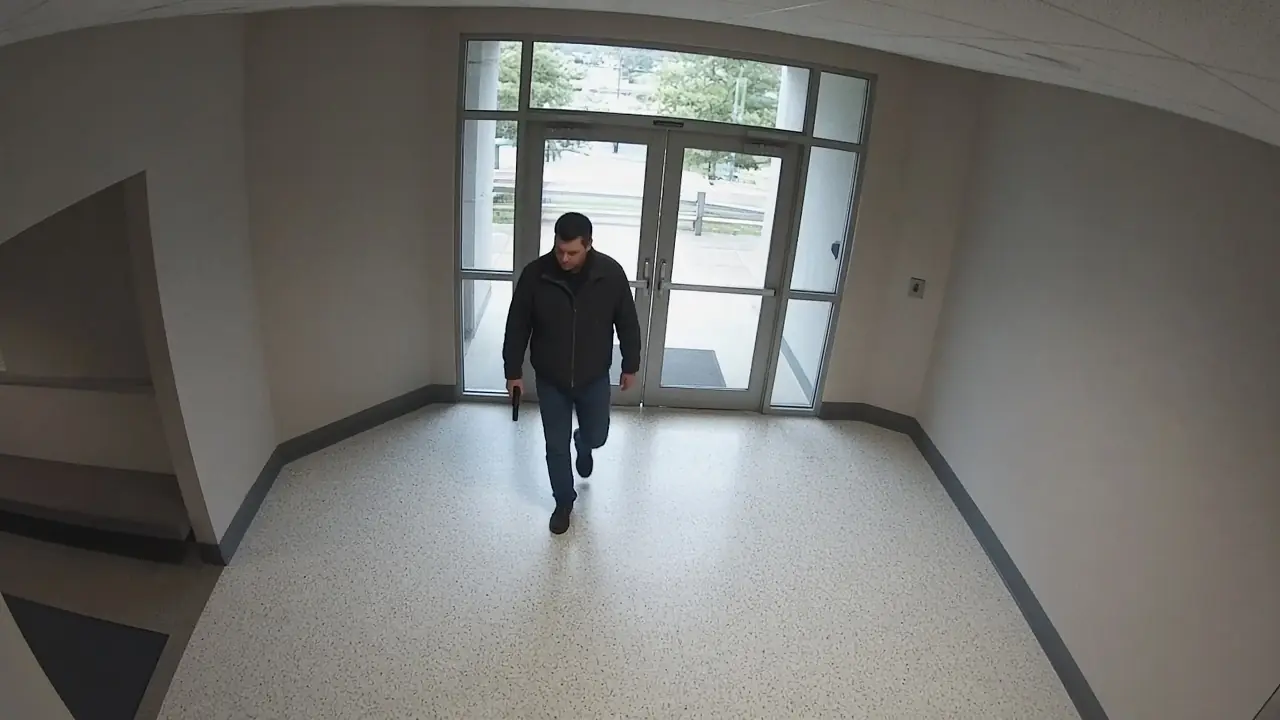
Front entrance, Camera 1Live 08:14:22
PersonTracked
HandgunFront entrance
How GroundsWatcher examines it
- I
Find every person
The person detector and tracker follow each person in view, one track per visit.
- II
Look at the hands
GroundsWatcher cuts the hand area from the full-resolution frame, so the gun isn't shrunk away.
- III
Hold for a few looks
The gun has to show up more than once before anyone is paged, so one odd frame doesn't send an alert.
- IV
Take the second look
Eyes looks at the full frame before anyone is paged and puts its verdict on the alert.

An invitation
See it on your own cameras.
We bring the box, set it up on the cameras and doors you have, and walk your staff through it.
The careful eye on every campus.